I am a Blogging Daddy of four. Our kids are roaming Singapore to bring you FUN,
This blog is use to capture our kids' growing up phases, and we want you to leave our blog with a smile :)
Conditions :
– We do not know the valid period (or expiry date) for this promotion yet, but the team at Lost World is hoping to stretch it for 6 months
– You have to plan your own transport from Singapore to Ipoh
– This contest will be conducted over SengkangBabies Fanpage, pop over to leave your name and email behind
– You need to LIKE SengkangBabies and Lost World Fanpage first
– Contest will end on 07 July 11pm, and winner will be randomly picked
– Lost World will contact winner for further details
– The winner must be based in Singapore
Disclaimer :
– Lost World of Tambun reserves the right to change the condition, room, and validity of the prizes
– SengkangBabies receives no commission for this giveaway
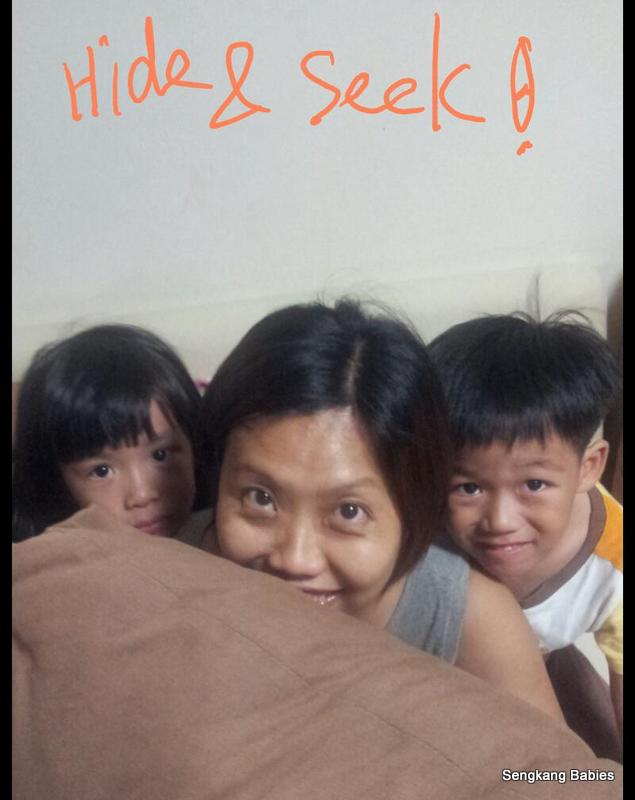
Everyone knows what is a printer right? What if we tell you we use our printer to play Hide and Seek ! Read on for the details.
Thanks to the folks at HP, we get to play with our new printer. Wait, HP Photosmart 7520 e-All-in-One Printer (AIO) is also a scanner, copier and fax machine (All in One). In the photo above, Boon Kang is saying “No cables”.
Out of box, we can get Gmail or iPhone to talk to printer in a few simple steps.
Once the printer detected our wireless network, configuration is straight forward. If in doubt, the LCD panel will have slideshow (or tips) to guide us.
From our printer catalogue, two features caught Daddy’s attention.
1) Printing on the go (mobility)
– no more cables.
– print wirelessly from anywhere, just direct document to an unique email address.
– no need to meddle with printer drivers anymore !
– technology like HP ePrint and Apple AirPrint makes wireless possible
– no more headache trying to find a slot for the printer. Our family is big, and we always face challenges trying to accommodate the kids household items. Wireless is cool !
Whether you are printing direct from computer…
or from your mobile devices, the photo quality is Good 🙂
2) The second notable feature is HP Apps, more details here.
– online content for Education, Fun and self-improvement (actually homework for kids)
– all Free !
~~~ ~~~ ~~~ ~~~ ~~~ ~~~
To quote from HP Apps :
“HP Printables or Print apps are special print applications available exclusively for use on HP Web-enabled printers. A print app is a shortcut to printing content from the Web directly from your printer, with no computer required. Print apps give you direct access to great pre-formatted content from HP and leading companies from around the world.
You can choose from a growing library of print apps that make printing faster, simpler and more useful than ever. Some apps like Google Docs allow you to scan your documents and save them directly to Internet storage provided by the partnering company. ”
~~~ ~~~ ~~~ ~~~ ~~~ ~~~
Maybe Boon Wee loves homework more?
Otherwise, arts and craft from Disney (eg Shrek, Kung Fu Panda) should keep the smaller kids occupied 🙂
( Image credit )
Video : Watch this HP Apps clip to explore all the Fun stuffs you can do with your printer !
Remember our Hide and Seek adventure with HP Photosmart 7520 e-All-in-One?
1. Ask Mummy to go hide
2. Snap her own photo and email to printer
3. Kids will try to identify her location from photo (printout might take 5 to 10mins, depending on network performance)
It is too easy to locate everyone in our small house, maybe we should extend “Hide & Seek” to a 1km radius :p
Thank you HP, for bringing “ePrint” experience, “HP Apps” content and knowledge to us. We definitely need more time to figure out the features. HP’s printer tagline is “Boosting productivity and creativity at home”, and may we add “FUN”.